Merge a Pull Request
Overview
When the pull request is ready - conflicts resolved, approvals obtained - select a merge strategy and complete the merge.
Procedure
-
Verify the PR is ready
On the pull request page, scroll down to the status section.
- Ensure required approvals are in place (prior approvals may go stale if new commits were pushed)
- Resolve any merge conflicts by merging the destination branch into your local branch and pushing
Resolving conflictsMerge the latest from the remote destination into your local branch, resolve conflicts locally, then push. The PR will update automatically.
-
Select a merge strategy
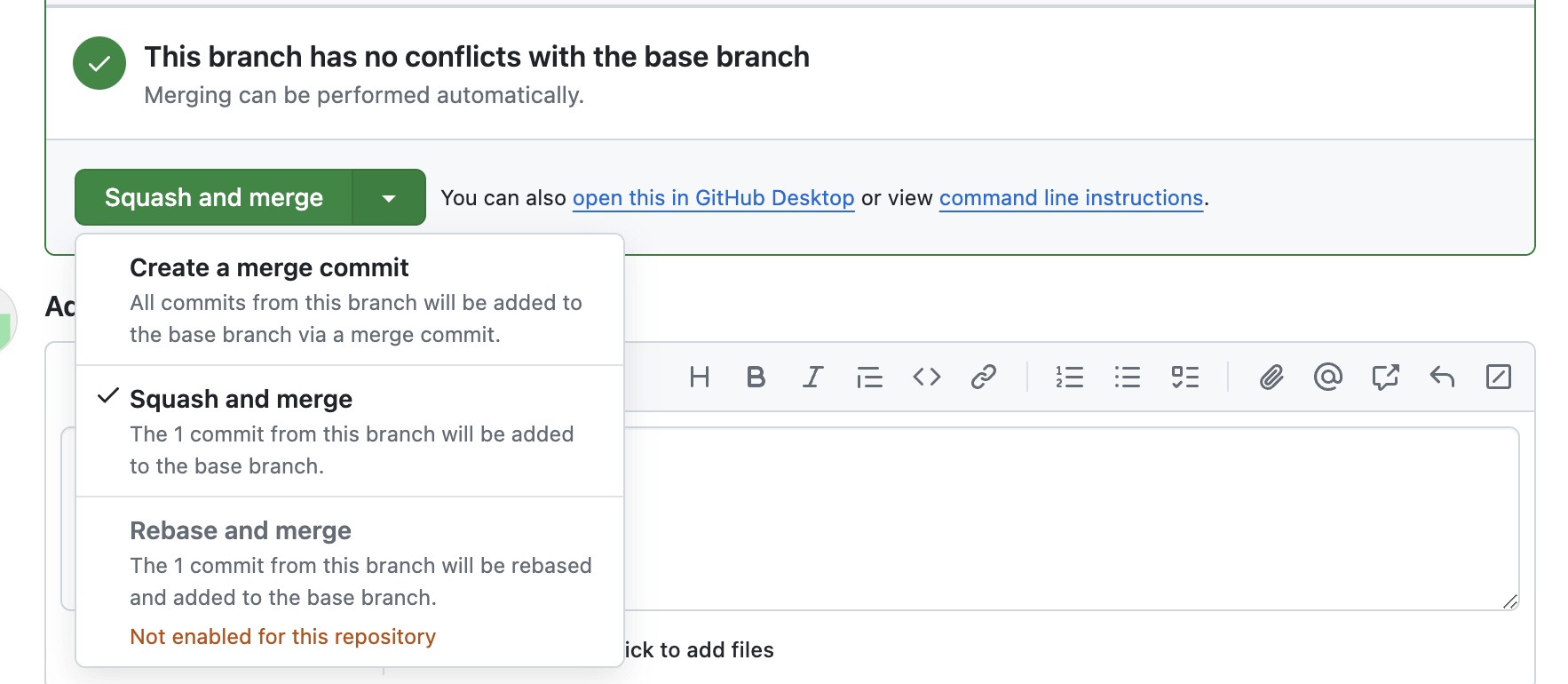
Three options exist:
-
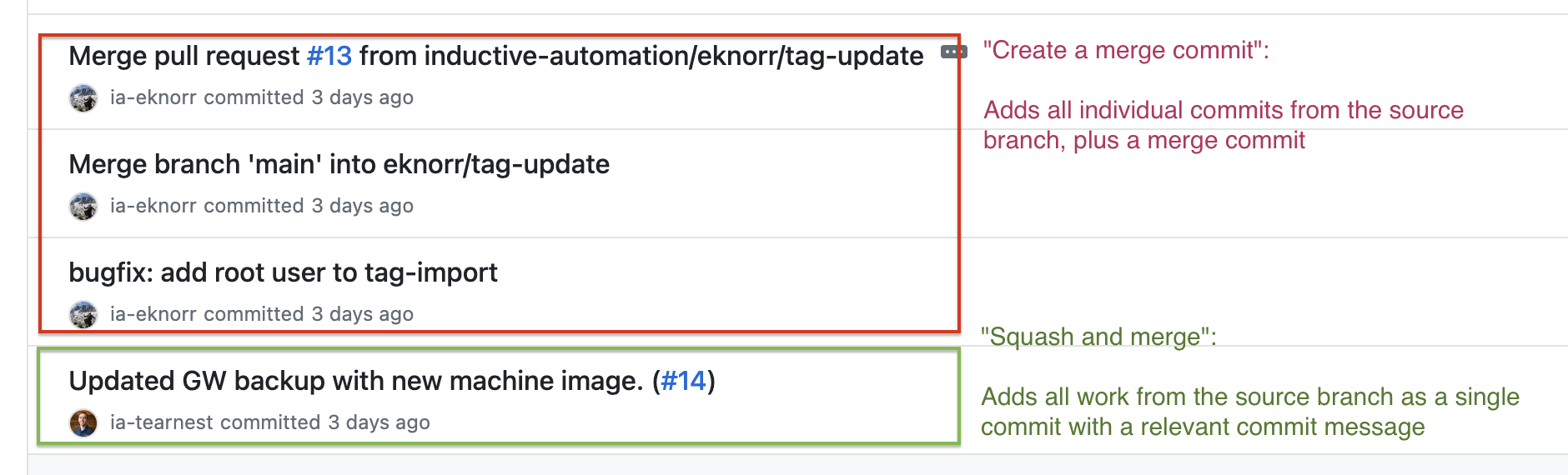
Create a merge commit - Adds all commits from the feature branch plus a merge commit. Simple, but can clutter the destination branch history.
-
Squash and merge (recommended) - Combines all PR commits into a single commit. Keeps history clean and ties the change clearly to one PR.
- Edit the title if needed (default includes the PR number - keep it)
- Trim the description to only high-level details
- Click Confirm squash and merge
-
Rebase and merge - Advanced method; not recommended for most Ignition repos.
-